









Go Map: PUSH Notifications
| How to Use the Shared Map | |||
|---|---|---|---|
| Top | Map Display Toggle | Sharable Information | Useful Features |
| About GO Raids Level | PUSH Notifications | Supported OS & Browsers | Reports & Fraud Prevention |
| User Registration | Contact Us | ||
PUSH Notification Feature
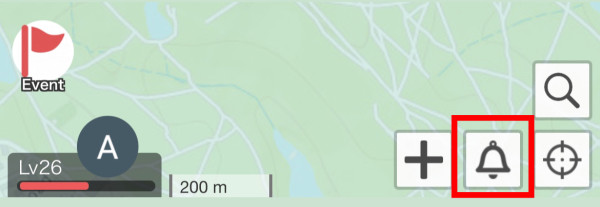
From the “Bell Icon” at the bottom right of the map, you can set up PUSH notifications for when Raid Bosses, Wild Pokémon, and Kecleon appear, as well as when Lures are used.
As shown in the image below, you can specify details such as the distance to receive notifications or the remaining time for raids.
For the current location setting, select “Center (Fixed)” if you want to fix it to the center of the current map. If you want to automatically set your current location while using GPS Auto-Tracking Mode, select “Get GPS.” 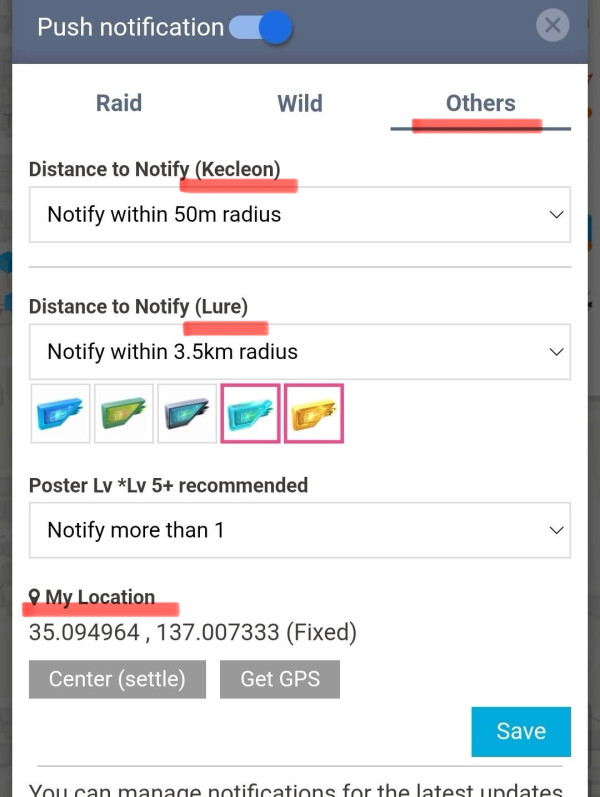
How to Set Up Wild Pokémon Notifications
① All High IV Pokémon
If you set the Wild Spawn notification option to All High IV (90%+), you will receive PUSH notifications when high IV or high rank Pokémon appear nearby. 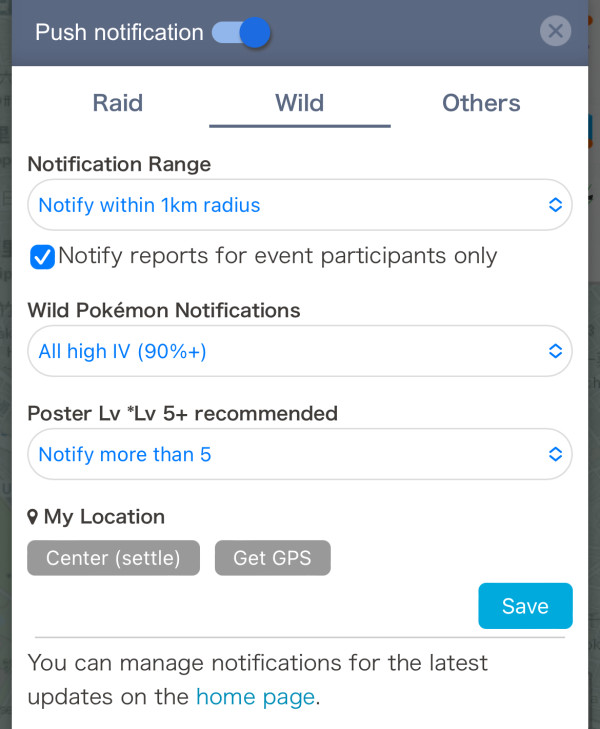
② Set by Pokémon
If you set the Wild Spawn notification option to Set by Pokémon, you can choose per Pokémon whether to “Notify,” “Notify for High IV Only,” or “Do Not Notify.” 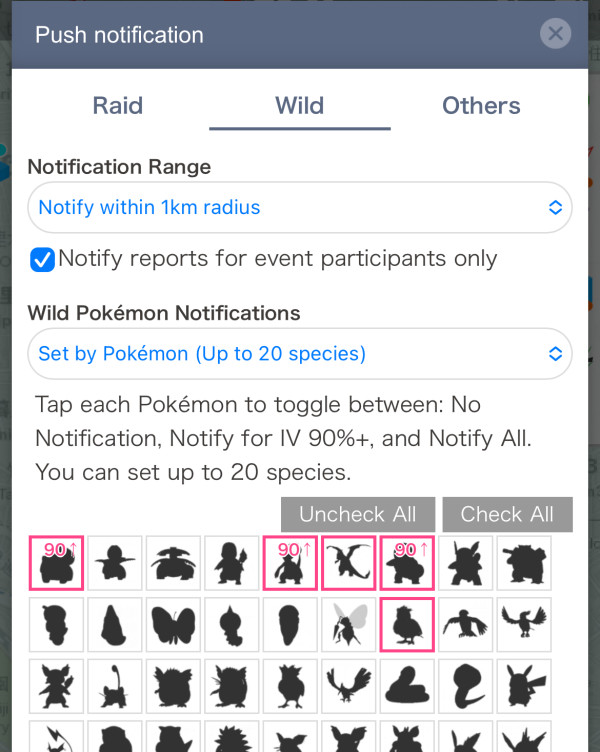
③ Set by IV
You can receive notifications for all Pokémon above a certain IV threshold, regardless of species. This is useful if you want to be notified only based on IV. 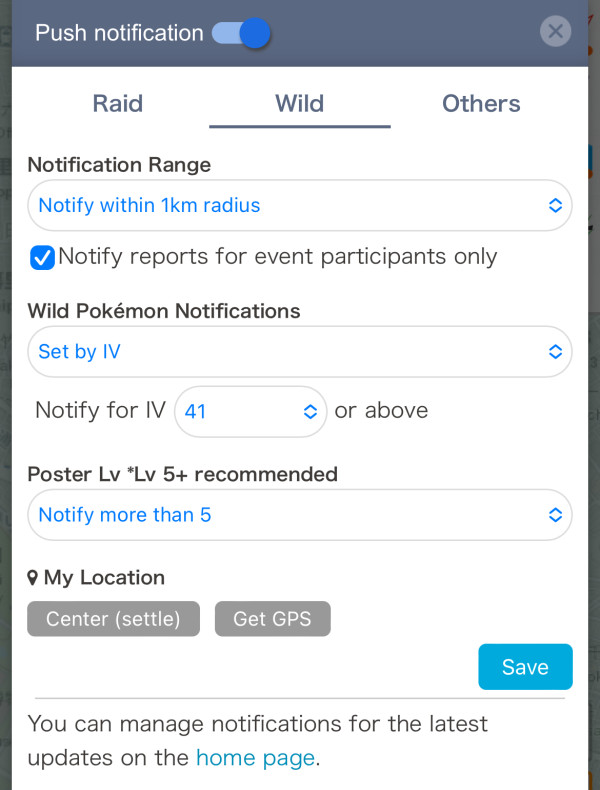


 9D
9D