









User Registration
What is User Registration?
GO Raids can be fully accessed without user registration (as a guest ID), but registering your account provides the following benefits:
- Use the same user data across multiple devices
- Manage registered information for tools like the Completion Checker and Battle Simulator
- Restore your data if your ID changes due to clearing the cache or prolonged inactivity
If your ID changes, your GO Raids level and other data will be reset, so it’s recommended to register in advance.
Information Carried Over When Registering
When you register, your contribution points (XP), number of posts, favorites, filter and custom icon settings, notification settings, and Big Battle medals from your guest ID will be transferred.
How to Register
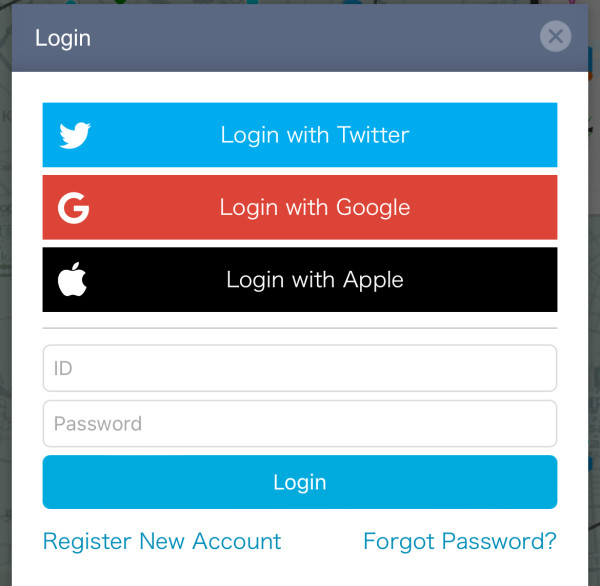
Tap “Login” at the top right of the map and select one of the following: Old Twitter (X), Google, Apple, or New Registration.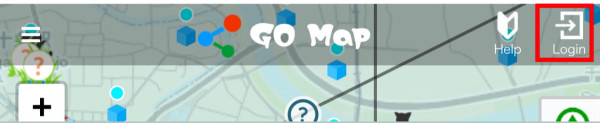
↓
↓
On the next screen, fill in the required fields and agree to the terms to complete your registration. Your ID can be changed once every 90 days.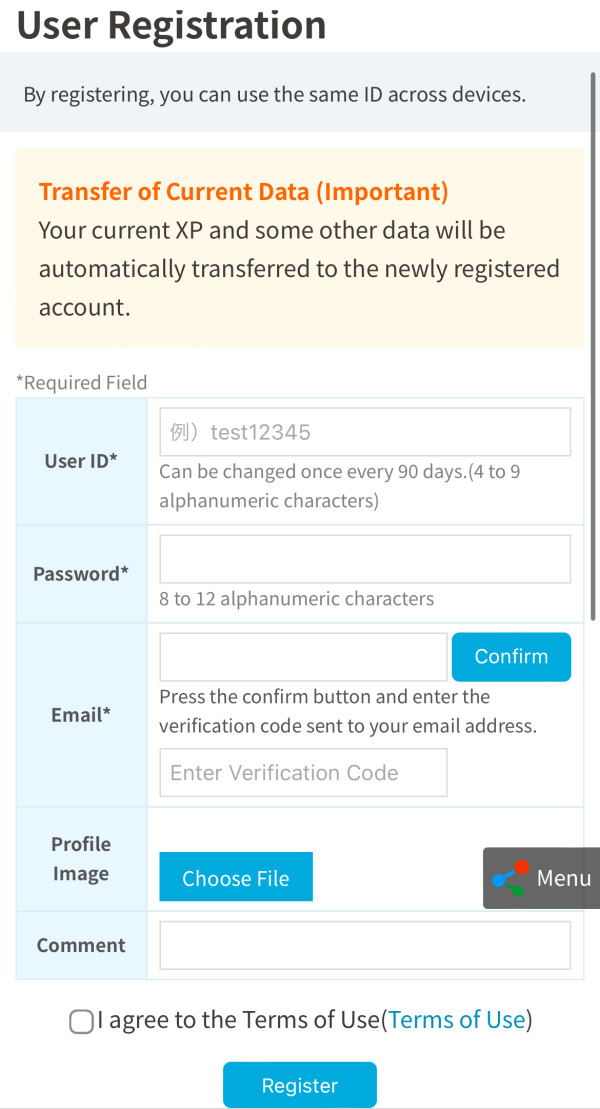
This method links your GO Raids account with an external app, so you don’t need to create a new password for GO Raids.
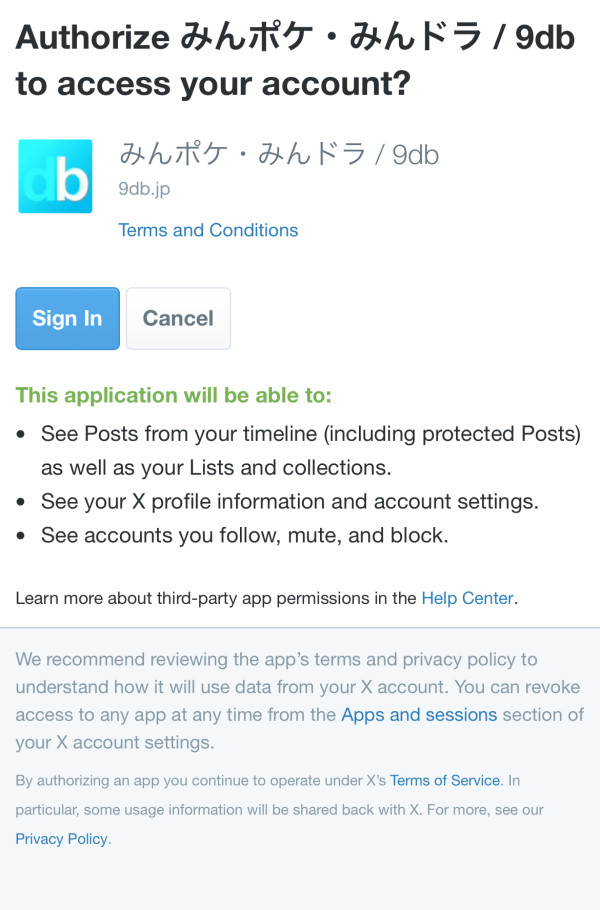
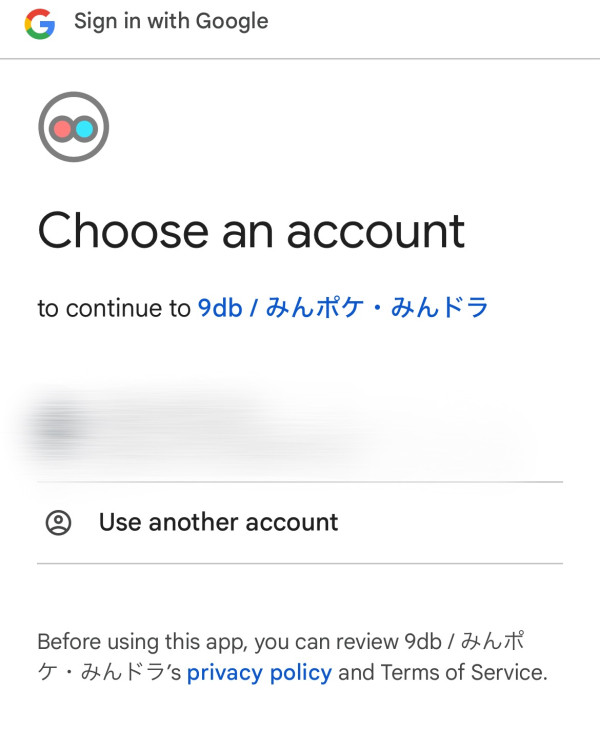
Follow the instructions on each screen and allow authentication after confirming the account you want to link.
Old Twitter (X)
Apple
Common Steps
Once authentication is complete in the app, fill in the required fields on the next screen and agree to the terms to finish registering. Your ID can be changed once every 90 days.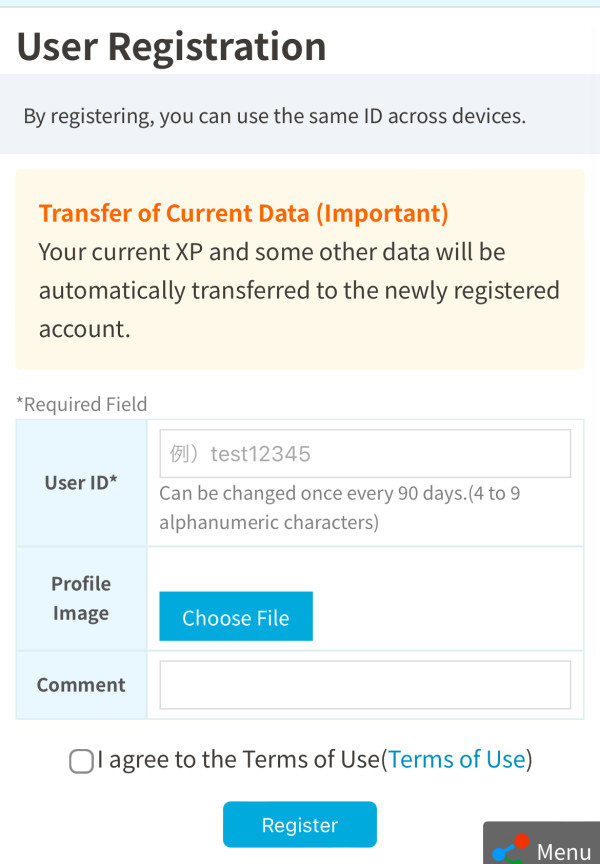
About the Information GO Raids Obtains During Registration
When you link via Twitter or Google, GO Raids only obtains the ID information needed for linking. It does not access your email address or other account information.
Also, there is no feature that automatically posts tweets on your behalf, so you can rest assured.
What to Do if Your User ID Changes
Please refer to this article:


 9D
9D