









Reference: How to Use and Display S2 Cells
Contents
- What Are S2 Cells?
- Levels of S2 Cells
- How to Display S2 Cells
- How S2 Cells Are Used in Pokémon GO
- Raid Boundaries
- Weather Boundaries & Catch Location Names
- EX Raid Distribution
- Gym & PokéStop Distribution
- Gym & PokéStop Display Range
- Catchable Range
- EX Gym Distribution
- Catch Location for Wild Pokémon
What Are S2 Cells?
S2 Cells are a system that divides the Earth’s surface into equally sized areas. Unlike latitude and longitude, which specify points, S2 Cells represent positions as areas. In Pokémon GO, S2 Cells are used for various systems such as EX Raid locations and weather boundaries.
Levels of S2 Cells
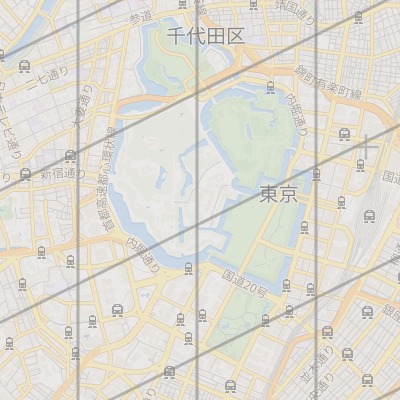
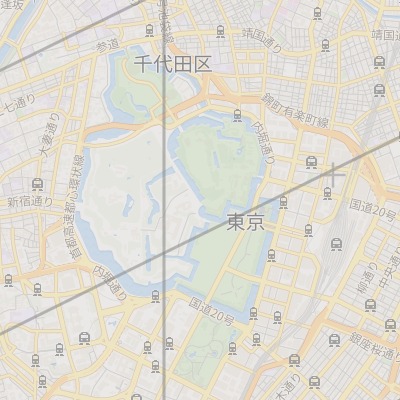
S2 Cells have levels. The higher the level, the smaller each cell becomes.
| Level 13 | Level 12 |
|---|---|
 |  |
How to Display S2 Cells
In GO Raids, you can enable S2 Cell overlays in the display settings.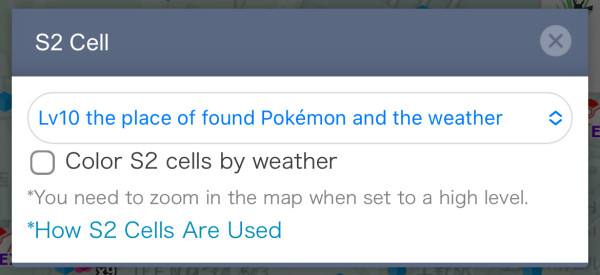
How S2 Cells Are Used in Pokémon GO
| Level | Usage |
|---|---|
| 6 | Raid boundaries |
| 10 | Weather boundaries |
| 11 | - |
| 12 | EX Raid distribution (until Feb 8, 2018) |
| 13 | EX Raid distribution (after Feb 17, 2018) |
| 14 | Gym distribution |
| 15 | Gym and PokéStop display range |
| 16 | - |
| 17 | PokéStop distribution |
| 18 | - |
| 19 | - |
| 20 | Catchable range EX Gym distribution Catch location for wild Pokémon |
The following sections explain each of these in more detail.
Raid Boundaries
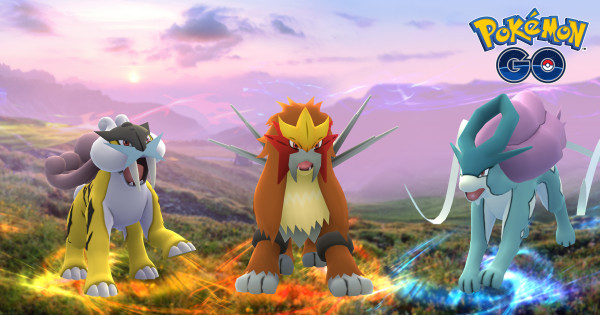
The area where raid bosses appear uses Level 6 Cells. For example, from September to November 2017, Raikou, Suicune, and Entei rotated globally by region. The specific Legendary Pokémon appearing was determined by each Level 6 Cell. This image shows how Suicune and Entei regions were divided by Level 6 Cells.
Weather Boundaries & Catch Location Names
In Pokémon GO, Level 10 Cells are used for weather. Weather conditions are determined for each Level 10 Cell every hour on the hour and displayed on the map. Also, the location name when catching a Pokémon is based on the Level 10 Cell, so Pokémon caught within the same cell will have the same location name.
EX Raid Distribution
EX Raid gyms use Level 13 Cells (previously Level 12). Only one EX Raid can be hosted in a single cell on the same day, which is important information for efficiently getting EX Raid Passes.
Below is an example of GO Raids displaying Level 13 Cells. You can see that each cell has at most one Gold EX (EX Pass distributing gym).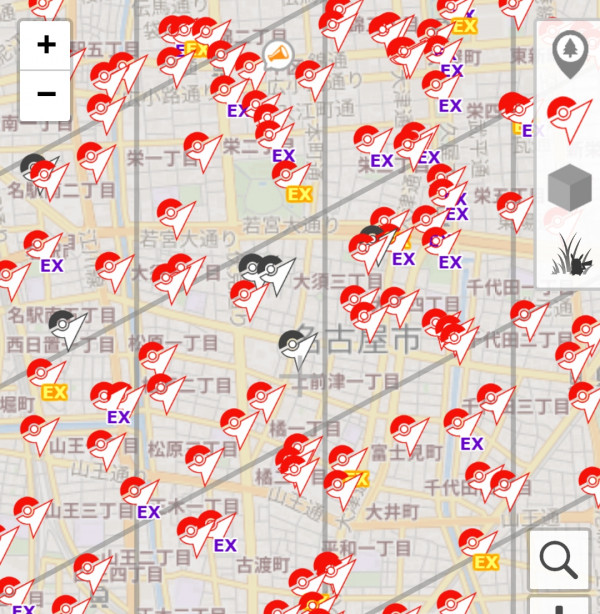
Gym & PokéStop Distribution
PokéStops are limited to one per Level 17 Cell (excluding sponsored PokéStops). If you submit a new PokéStop within a cell that already has one, the request is unlikely to be approved. So, when submitting, find a spot within a Level 17 Cell without a PokéStop. Gyms are similarly limited to one per Level 14 Cell (excluding sponsored Gyms).
Below is an example of GO Raids displaying Level 17 Cells. You can see that there is at most one PokéStop per cell.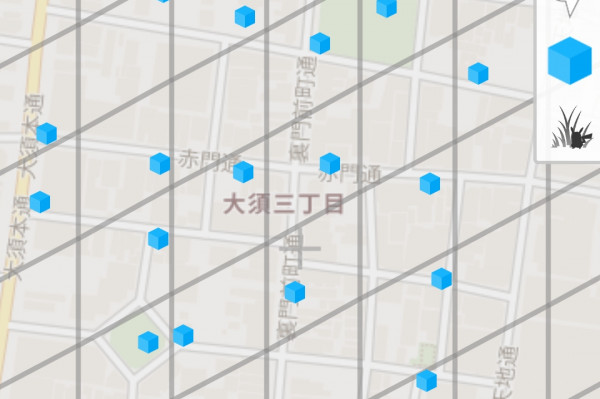
Gym & PokéStop Display Range
On the game map, Gyms and PokéStops are displayed within the Level 16 Cells that intersect a circle with a radius of 630 meters from your location (500 meters before January 2019). For example, from Kinshicho Station, all Gyms and PokéStops within this blue boundary will be shown in-game.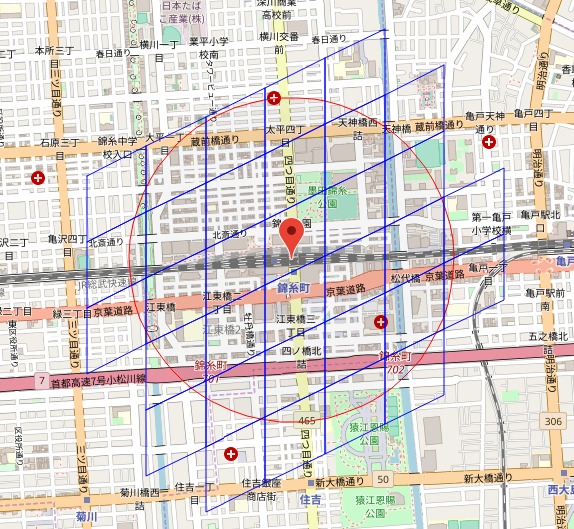
Catchable Range
Wild Pokémon appear within Level 20 Cells that intersect a circle with a 50-meter radius from your location. For example, the area where you can catch Pokémon from the edge of Kinshicho Park is shown below.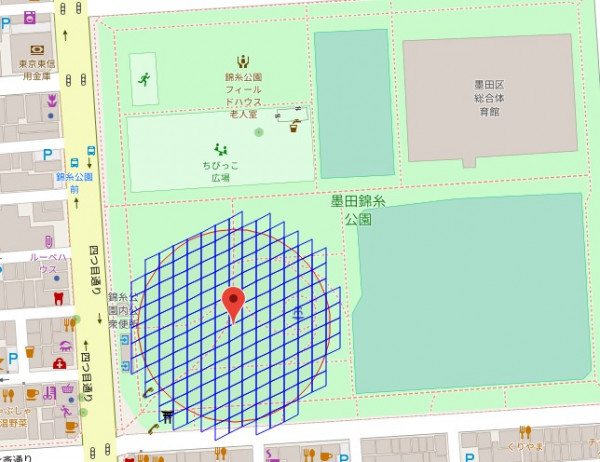
EX Gym Distribution
If the center of a Level 20 Cell is within a park, any gym within that cell can become an EX Gym.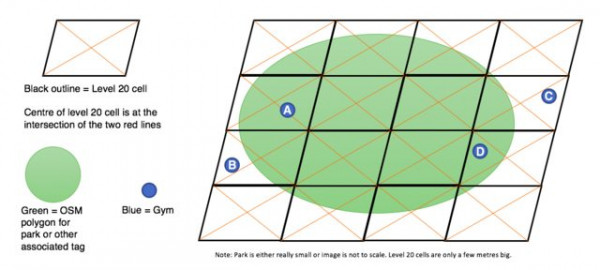
The green area is recognized as a park on OSM (OpenStreetMap), and the blue circles represent gyms. The important part is the orange lines — if the center point falls outside the park area, that cell is not recognized as a park.
In the example above, Gyms A and B can become EX Raid Gyms, but Gyms C and D cannot because their centers are not inside the park.
Catch Location for Wild Pokémon
The catch location for wild Pokémon now uses the center of a Level 20 Cell (previously Level 10 before September 28, 2022). While Level 10 is about 7 km wide, Level 20 is about 7 meters wide, allowing for more precise recording of catch locations.


 9D
9D